Using a Single OpenGL Render Context (RC)
Context
The old Nipscan application used multiple OpenGL render contexts (RC). For each scan-method in the project a separate one.
This uses a lot of unnecessary resources and can be made simpler since the Nipscan scene is the same for each scan
except the overlay depicting the part in the 3D space. So when selecting a scan-entry only, the overlay of that scan is enabled when rendering.
The positioning of the scene's camera, lighting and model are saved per scan entry.
Issues
Crashes when Docking and Undocking OpenGL Window
The application crashed or was not able to render the OpenGL scene when the Qt docking window becomes floating or vise versa.
After consulting an AI bot about it the solution was simple by setting the Qt Application Attribute named Qt::AA_ShareOpenGLContexts
before the QApplication instance is created.
Implementation Results
Main Window
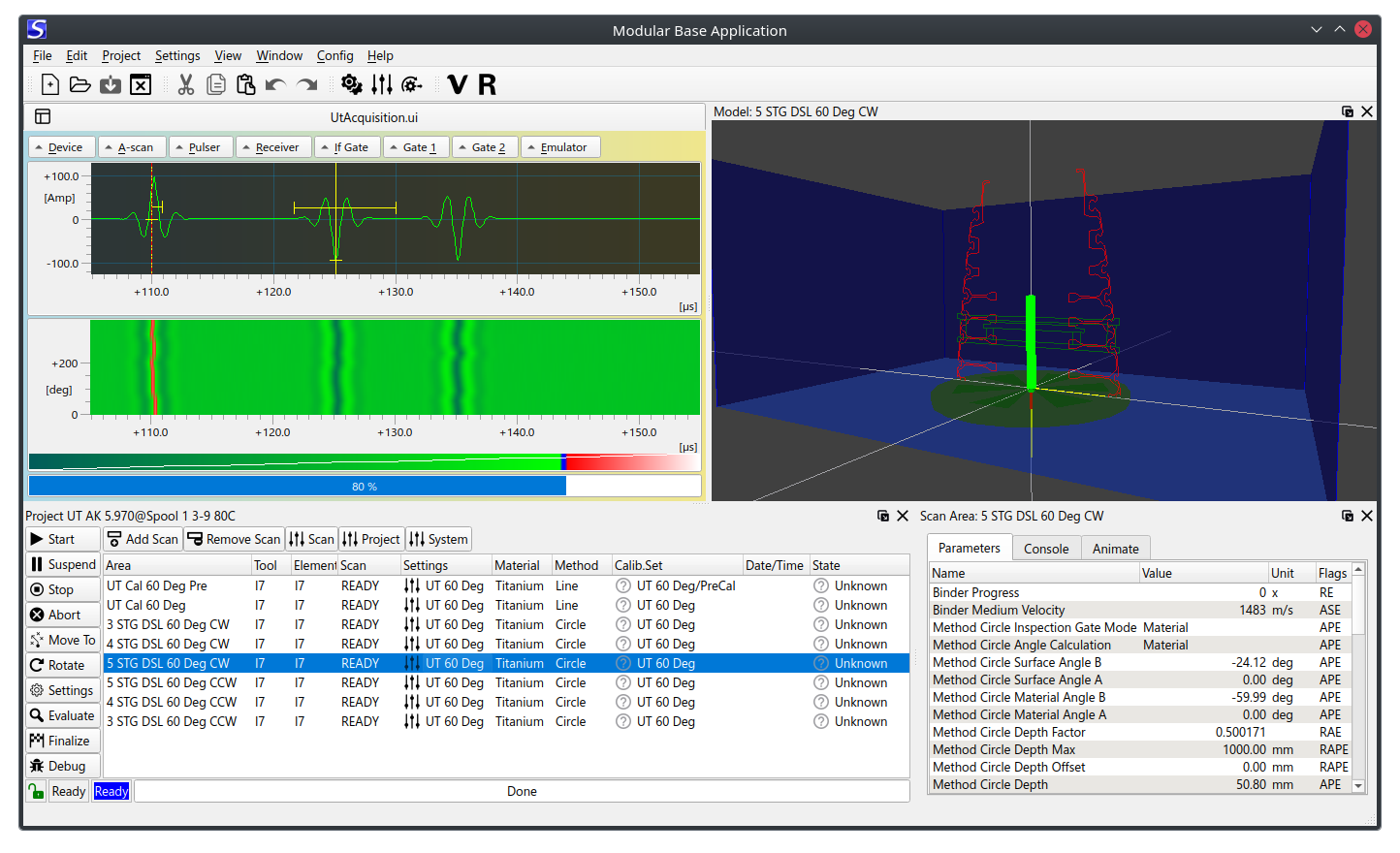
The result is that the application now has three dockable windows:
- Scan Project
- Scan Enty/Area
- Model / 3D Scene
System Property Page
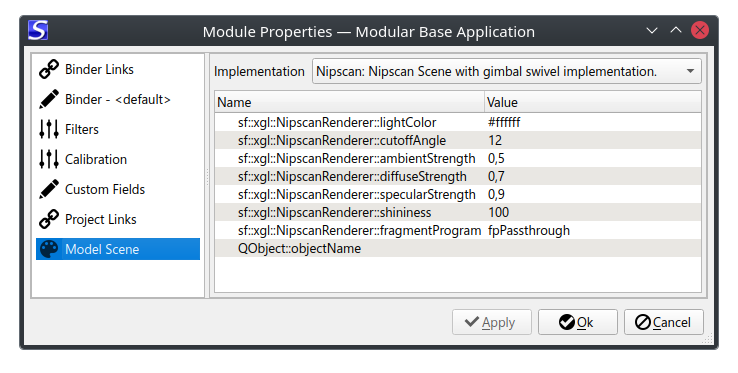
Scenes are dynamic loadable modules and selectable from the scan project's system property pages.
Circle Scan Method
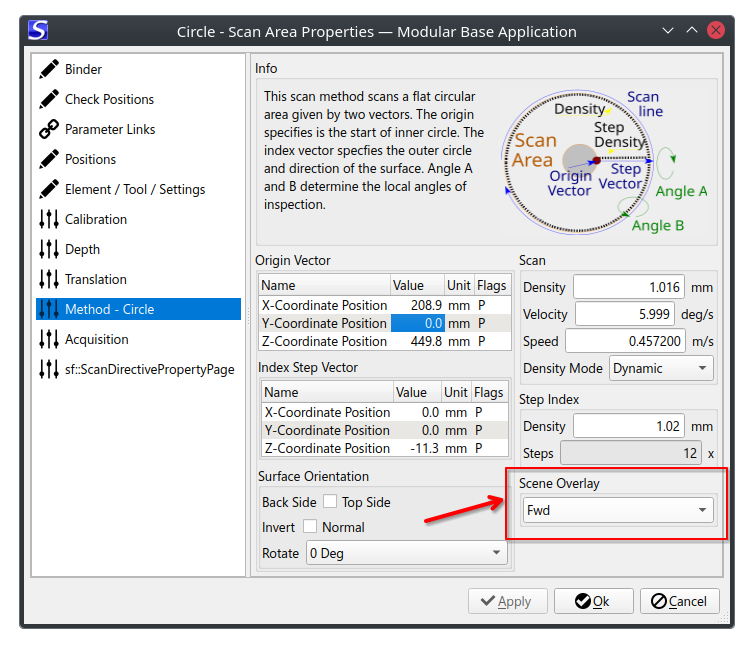
The circle scan method implements the graphic overlay for the scene in the model which is dockable.
Shown below on the property page where the Scene Overlay has a dropdown list for selecting the overlay.
The overlay is currently a file in the part directory as files having suffix *.dxfani.