Script Engine & Debugger
Reasons
Here is a multitude of reasons to have a script engine and interface which allows for:
- Connection Information interface events between modules.
- Organise application startup.
- Background processes.
- Global and local hot-key script execution.
Design & Implementation Considerations
This first the thought about a script engine was what are instruction when code is compiled.
It comprises ALU instructions and conditional and unconditional jump instructions.
The syntax I used is C++ like, so a syntax-highlighted editor could do the job.
Ingredients needed are:
- ALU processing which is nothing more than a calculator.
- Interpreter jumping through a compiled list of instructions on a condition or not of the ALU result.
- Each module can provide functionality to the script interpreter.
Implementation
Some design iterations were needed for the current implementation.
ALU / Calculator
The ScriptEngine
class does the calculation part. Also allowing calls to sin() and cos() and the usage of constants like PI.
To limit the calculation/execution of functions not only to a floating point value the existing
Value class is used.
Interpreter
The ScriptInterpreter
compiles the script into an instruction list and provides derived classes to change the flow of instruction execution.
The GiiScriptInterpreter
class allows events from Variables and ResultData to be connected.
Application Script Module
The script managing module provides the syntax-highlighted editor, the debugger, the configuration and execution of multiple scripts.
Configuration through a property page
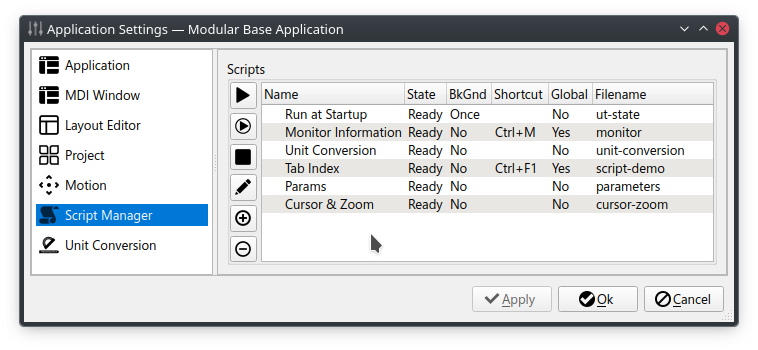 The script module and manager
provides execution of scripts on global and local hotkeys.
The script module and manager
provides execution of scripts on global and local hotkeys.
Editor / Debugger
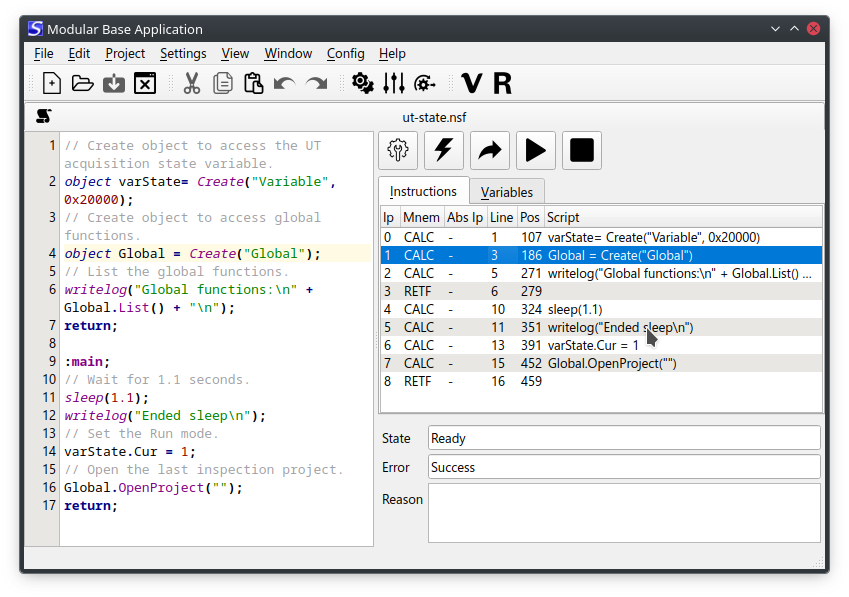
Editor / Watch
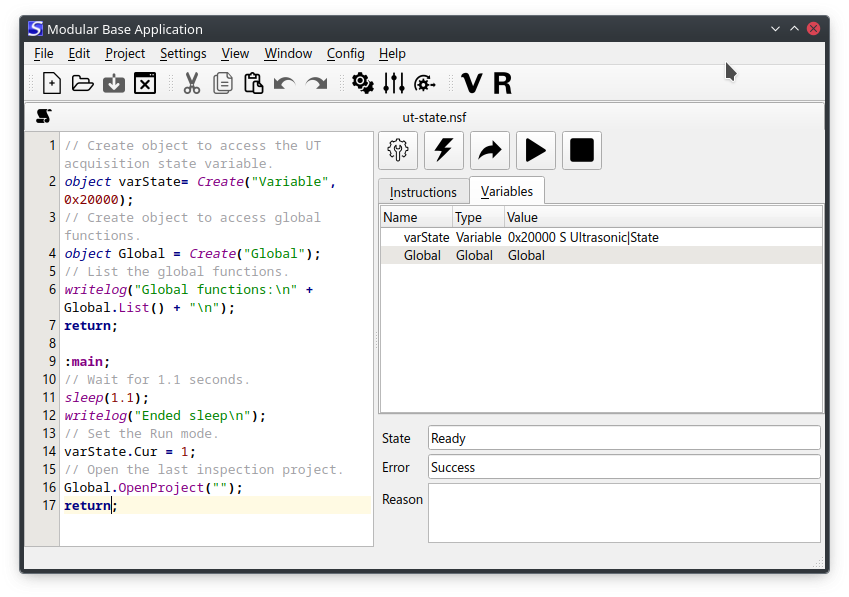
Also allows editing script variable values.