Rendering DXF in OpenGL
Context
Transforming the AIMS application to a multi-platform Qt application.
Purpose
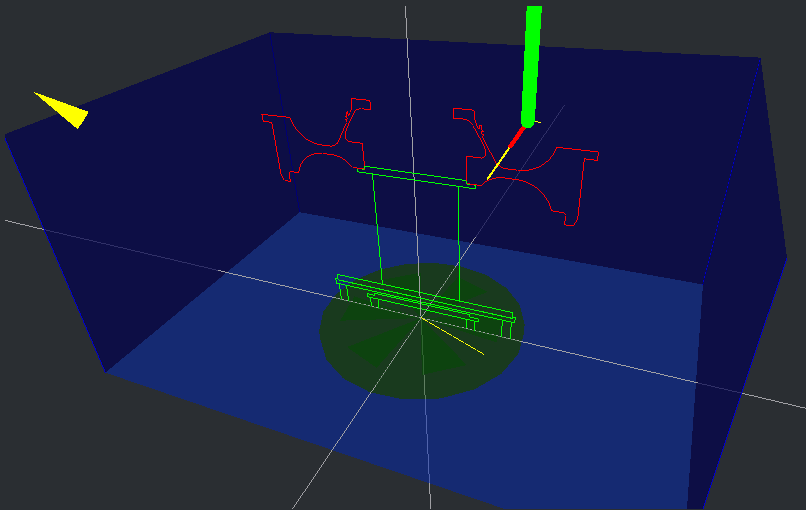
For accurate positioning of the 3D manipulator, the 2D DXF-drawing of the inspection part is rendered in 3D OpenGL space.
The reason why this was implemented is that at the time only 2 systems were built each year and integrated testing was only possible for a few weeks just before the system was accepted by the customer and was to be shipped.
To test a scan program without actual hardware, I came up to use OpenGL 2.0 to render the inspection object situation and implemented an emulator for the motion controller.
Part: Jet Engine Spool
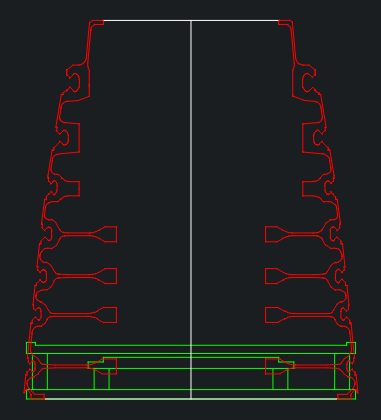
This is "Spool 1 3-9 80C" which has part and multiple scan projects defined here.

The DXF-file has two layers. The layer using the green color is the fixture and used to mount the part onto. It is clammed down using the systems C-axes' chuck-jaw. The layer using the red color is the actual part. The ficture and part are given a Z-axis offset when rendered.
Implementation
Situation
The sf::xgl::NipscanRenderer class renders
the Nipscan tank and its 6 axes. This needs to be expanded to render the fixture and the part as well.
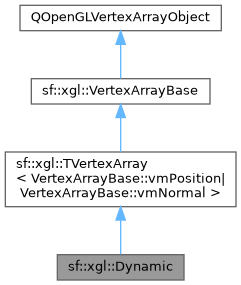
Each DXF layer is rendered using a separate QOpenGLVertexArrayObject derived object like sf::xgl::Dynamic.
A file dxfani-file like this one
determines how the DXF file is interpreted. General Electric (GE) uses imperial units in its drawings and needs to be scaled to meters.
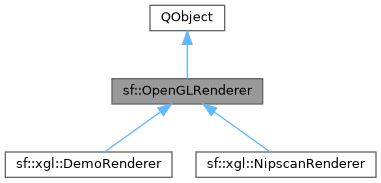
A derived class of sf::OpenGLRenderer creates a shader
program required for objects derived from class sf::xgl::VertexArrayBase.
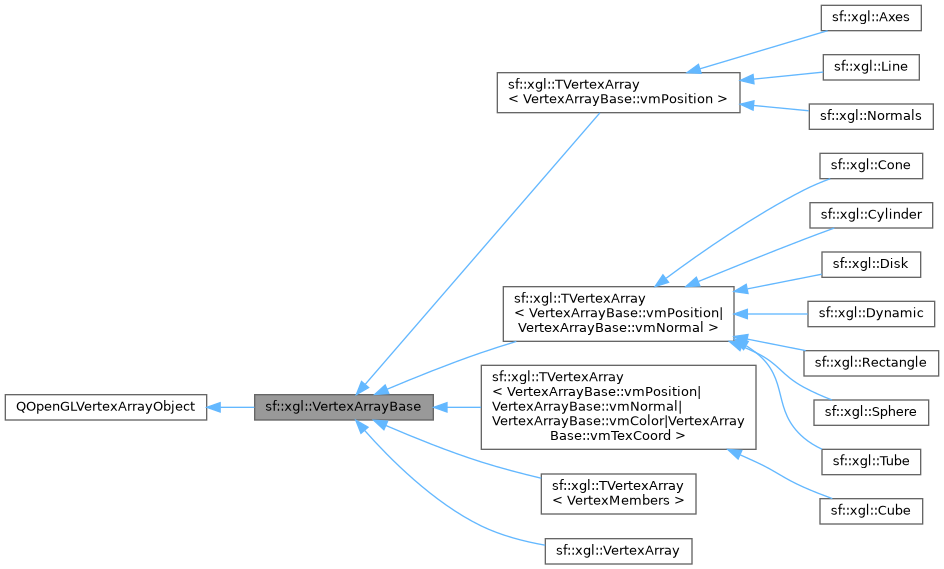
Render objects must be able to be used multiple times but with maybe with a different translation/transformation matrix and possibly a color.
Solution
General
One of the complications for a solution is keeping the custom widget sf::OpenGLWidget class (sf-wgt-opengl) isolated
from other libraries dealing with OpenGL rendering like library sf-xgl and sf-math containing the 3D-vector calculations.
Class sf::OpenGLRenderObject
The class sf::OpenGLRenderObject contains respectively, a vertex-array-object,
a matrix, a color and enable flag.
The sf::OpenGLRenderObject instance are added to a sf::OpenGLRenderer object using
method sf::OpenGLRenderer::addRenderObject().
The derived class sf::xgl::NipscanRenderer actually renders the objects using an iteration loop.
// Iterate through the attached render objects.
for (auto ro: _renderObjects)
{
  if (ro->vertexArray())
    ro->render([ro, &glh]() {
      glh.setColor(ro->color());
      glh.matrix() = toMatrix44(ro->matrix());
      glh.render(dynamic_cast<VertexArrayBase*>(ro->vertexArray()));
    });
}
The sf::OpenGLRenderObject::rendering() signal allows changing the render-object (e.g. enabling or disabling) or the attached vertex-array.
Added a Signal to sf::OpenGLWidget
A signal rendererChanged() is added to the sf::OpenGLWidget class.
To add the render-objects again after the renderer has changed.
Creating a Layers for xgl library
After consideration, I decided to create a class named sf::xgl::Layers.
This class is part of the xgl library and uses the sf::dxf::Reader class internally (not exposed to the library's interface) to load the layers.
For now only a DXF reader is implemented for reading a file.
/**
 * @brief Creates and holds the layers of the loaded drawings.
 */
class _XGL_CLASS Layers : QObject
{
  public:
    /**
     * @brief Default Qt constructor.
     * @param parent Owning parent.
     */
    explicit Layers(QObject* parent = nullptr);

    /**
     * @brief Overridden destructor.
     */
    ~Layers() override;

    /**
     * @brief Generic method to load drawings.
     * @param filepath Path to the file containing the drawing.
     * @param layers Layers to load. When empty, all layers are loaded.
     * @return True on success and false otherwise.
     */
    bool load(const QString& filepath, const QStringList& layers = {});

    /**
     * @brief Gets the layer names from the file or the ones loaded.
     * @param loaded When true, only the actual loaded layer names are returned.
     * @return List of layer names.
     */
    QStringList getLayerNames(bool loaded = true) const;

    /**
     * @brief Gets the vertex array from the specified layer for the given shader program.
     * @param sp Required shader program.
     * @param layer Name of the layer.
     * @return Derived vertex array class.
     */
    VertexArrayBase* getVertexArray(QOpenGLShaderProgram* sp, const QString& layer);

  private:
    /// @brief Forward definition of private implemented class to prevent interfaces exposure.
    struct Private;
    /// @brief Holds the private object or a derived one.
    Private* _p{nullptr};
};
Test Application for 3D-Scene's
For testing DXF rendering in a 3D-scene, an application is created.
The file from the old Windows application uses an ini-file with suffix *.dxfani to assign and position layers from a dxf-file in 3D-space.
The dxf-file used for this test is created in inches. The application ses SI units and a conversion is required (39.3700787401575).
The Object layer is placed upside down in the Nipscan tank on the Fixture so the Scale for the Y-axis is negative (-39.3700787401575).
To place the Object ontop of the Fixture Offset of the Y-axis in inches is set accordingly (-25.352)
[DXF File]
File=test

[DXF Layer - Fixture]
Name=FIXTURE
Offset=,-0.7,
Scale=39.3700787401575,39.3700787401575,39.3700787401575

[DXF Layer - Object]
Name=PART
Offset=,-25.352,
Scale=39.3700787401575,-39.3700787401575,39.3700787401575